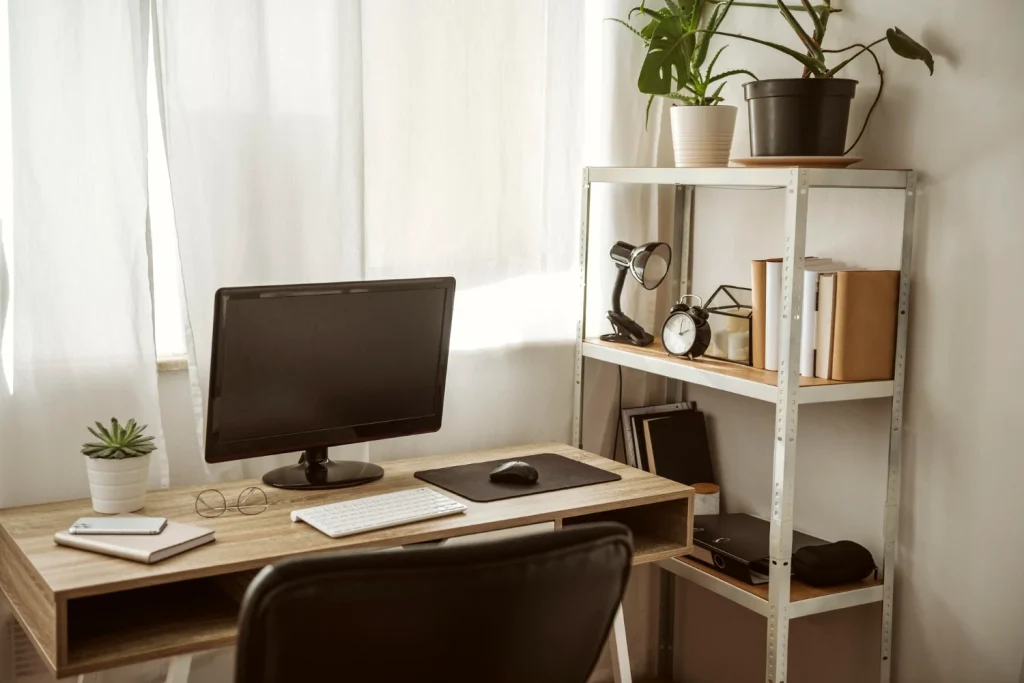
Setting up a home office well is more nuanced than placing a desk near a window and calling it done. A productive home workspace requires deliberate decisions about ergonomics, lighting, acoustics, and digital infrastructure. Get these right and working from home becomes genuinely sustainable. Get them wrong and you spend years battling fatigue, distraction, and the creeping sense that your home never quite feels like home anymore.
This guide walks through every dimension of the ideal home office setup, from the foundational choices to the finishing details that most people overlook.
Why Does Home Office Setup Matter So Much?
Research from the University of California, Irvine found that office workers are interrupted roughly every three minutes and five seconds, and it takes an average of 23 minutes to fully refocus afterward. In a home environment, interruptions and distractions are even harder to predict and control. Your physical setup is one of the few variables you can actually engineer in your favor.
The way your workspace is arranged shapes your behavior. A desk facing a busy doorway invites distraction. Poor lighting causes eye strain that compounds into headaches by mid-afternoon. A chair that doesn’t fit your body creates back pain that accumulates over months. None of these feel urgent on day one. They matter enormously over time.
How Do You Choose the Right Location for a Home Office?
The ideal home office location balances three competing needs: separation from household activity, access to natural light, and practical proximity to power and internet infrastructure.
A dedicated room with a door is the gold standard. The ability to close a door creates a psychological boundary between work and home life that matters for both focus during work hours and recovery outside them. If a dedicated room isn’t available, the next best option is a defined zone with clear visual boundaries: a corner, an alcove, or even a large bookshelf used as a divider.
Avoid setting up a primary workspace in the bedroom if at all possible. The research on sleep hygiene consistently shows that working in the same room where you sleep disrupts the brain’s association between that space and rest, which degrades sleep quality over time.
What Equipment Does an Ideal Home Office Setup Require?
The foundation is the desk and chair. Everything else builds around them.
The Desk
Standard desk height is around 28-30 inches, designed for average adult proportions sitting in a standard chair. If you’re taller or shorter than average, a height-adjustable desk becomes considerably more valuable. Sitting at the wrong height causes cumulative strain across the wrists, shoulders, and neck.
Sit-stand desks have become a standard recommendation from occupational health professionals. Alternating between sitting and standing throughout the day reduces the physiological risks associated with prolonged sitting, including cardiovascular strain and lower back load. You don’t need to stand all day; the benefit comes from the transition.
The Chair
A proper ergonomic chair is the single most impactful investment in a home office setup. Lumbar support, adjustable armrests, seat depth adjustment, and tilt tension control are not luxury features. They’re the mechanisms that allow the chair to fit your body rather than forcing your body to adapt to the chair.
The chair should allow both feet to rest flat on the floor, with the knees at roughly a 90-degree angle. The monitor should sit at arm’s length, with the top of the screen at or slightly below eye level. These proportions keep the spine in its natural curvature throughout the workday.
Monitor and Display
A single laptop screen, used exclusively at its native resolution and size, is an acceptable setup for occasional work. For sustained daily use, it’s a significant productivity and ergonomic liability.
An external monitor at appropriate height eliminates the neck-forward posture that laptops create. A monitor arm gives you height and angle adjustability that a fixed stand cannot. For most knowledge workers, a 27-inch monitor at 1440p resolution is the practical sweet spot between screen real estate and pixel density.
How Should You Handle Lighting in a Home Office?
Lighting is one of the most neglected aspects of home office productivity setup. Studies on home office conditions note that 17% of workstations had problematic glare, and that home offices are especially prone to this because they typically have more window exposure than commercial offices.
Natural light is valuable. Direct sunlight hitting your monitor is not. The ideal arrangement has a window to your side rather than directly behind or in front of you. This gives you daylight without the glare that causes squinting and eye fatigue.
For artificial lighting, overhead lighting alone is usually insufficient. A desk lamp positioned to illuminate your work surface without creating screen glare is standard practice. Bias lighting behind the monitor, a strip of soft light behind the screen, reduces the contrast between the bright display and the dark wall behind it, which measurably reduces eye strain during long sessions.
Internet, Audio, and the Digital Infrastructure
A wired ethernet connection is faster and more reliable than WiFi for video calls, large file transfers, and anything time-sensitive. If your router is in another room, a powerline adapter or MoCA adapter can deliver wired speeds without running cable through walls.
For audio: a dedicated microphone consistently performs better than a laptop or webcam mic. On calls, audio quality affects how you’re perceived. Poor audio creates more cognitive load for listeners, which subtly but measurably affects how your contributions land.
Acoustic treatment doesn’t require an elaborate setup. A soft rug, curtains, and a bookshelf with books absorb enough of a room’s natural reverb to significantly improve call quality. Hard, bare rooms echo. Soft surfaces don’t.
Home Office Productivity Tips: The Behavioral Layer
The physical setup is necessary but not sufficient. The habits you build around the space matter just as much.
- Set consistent start and end times and treat them as real boundaries
- Use a dedicated browser profile or user account for work to reduce context-switching
- Build transition rituals: a short walk, a specific playlist, or a coffee routine that signals the shift to work mode
- Keep the desktop clear at the start of each day; clutter on the desk mirrors and reinforces mental clutter
The separation of work and rest is harder at home than in an office. You have to create it intentionally. The workspace you design should help you do that, not work against it.
Best Home Office Layout for Productivity
Layout affects more than aesthetics. It shapes where your attention goes.
The desk should face away from the primary distraction zone in the space. If there’s a hallway with foot traffic, don’t face it. If there’s a window with an interesting view, consider whether it draws you out of focus or energizes you. For most people, a view of greenery is restorative; a view of foot traffic is distracting.
Storage matters more than most home office guides acknowledge. A well-organized space reduces the cognitive friction of finding things. See some principles applied in this guide on shower tile and bathroom organization for how purposeful space planning applies across different rooms.
Air quality also has a direct effect on focus. A 2020 Harvard study found that poor indoor air quality reduces cognitive performance measurably. See what options exist in this overview of air purifiers for the home.
The Bigger Picture
A productive home office setup isn’t a single purchase or a one-time arrangement. It’s a system, and it evolves as your work patterns change.
Start with the fundamentals: an ergonomic chair, a properly positioned monitor, and a location with reasonable separation from household distractions. Add lighting, acoustic improvements, and connectivity infrastructure once those are right.
The goal isn’t a perfect setup on paper. It’s a workspace that you can sustain using day after day without accumulating physical strain or psychological friction. That distinction matters. Many people build impressive-looking home offices that don’t actually serve how they work. Build yours around your real patterns, not an idealized version of them.